
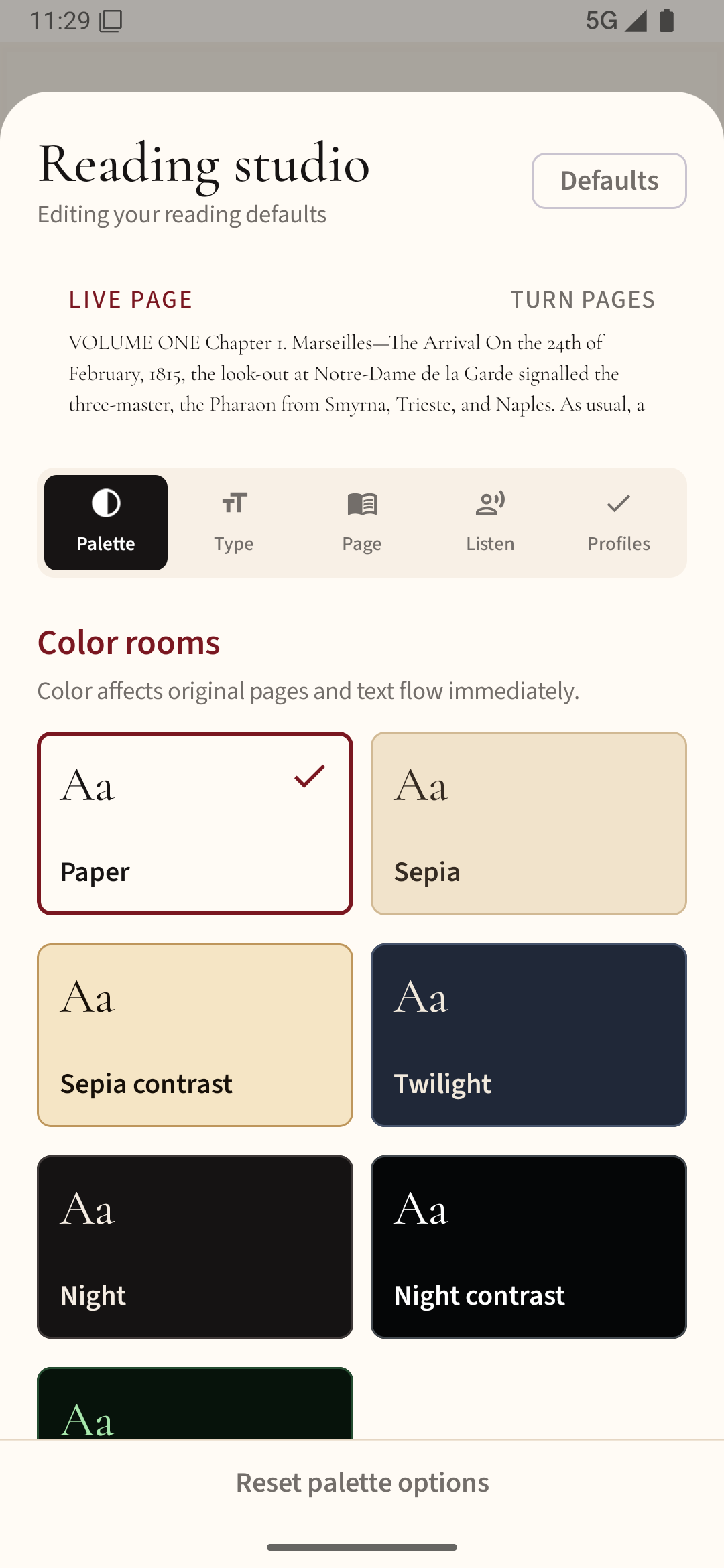
Test reflow before the theme
If the printed words are too small, a reflowable EPUB can be easier than magnifying a fixed PDF. Increase the text size and confirm that the lines wrap within the screen rather than forcing horizontal scrolling. A larger font should not make the chapter controls disappear.
Contrast is personal
Some readers prefer dark text on a bright page; others find a warm background or dark theme easier. Check punctuation and thin letter strokes, not just headings. A thicker font may help more than a higher brightness setting.
Use speech as a second reading mode
Text-to-speech can reduce strain during long documents. Test whether the app reads complete paragraphs, keeps your place after pausing and works while the phone is locked if you need that. Availability depends on the reader and device; voice language support also varies.
Check navigation with accessibility tools
If you use Android TalkBack or large display text, try importing a file, opening the contents list and returning to your library. Buttons should have usable labels, and focus should move in a sensible order. Do not assume that an app's attractive reading screen means all its menus are accessible.
Try your hardest document
Take a PDF with tables, an EPUB with footnotes and a long chapter if those match your reading. A reader that works only with a short sample may not support the material you actually need.
You can try a larger reading view and your phone’s installed read-aloud voices in Readream Basic. Test a familiar page to see whether the combination works for your needs.